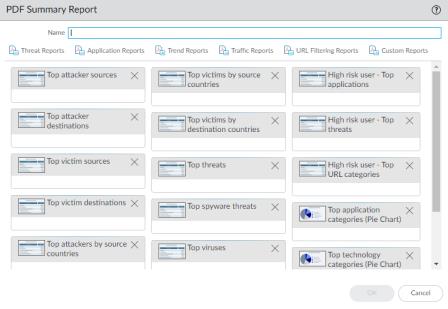
To create PDF summary reports, click Add. The PDF Summary Report page opens to show all of the available report elements.

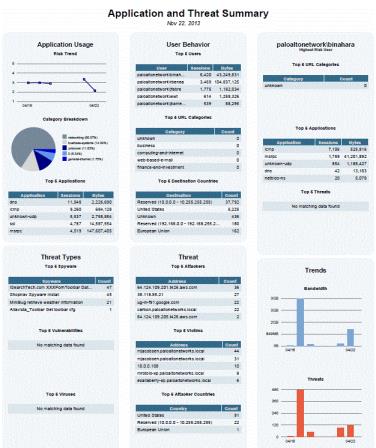
To display PDF reports, select Monitor > Reports, click PDF Summary Report to select a report, and click a day in the calendar to download a report for that day.