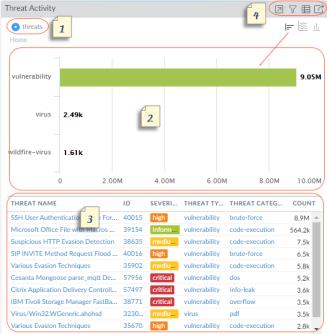
• Maximize view—Allows you to enlarge the widget and view it in a larger screen space. In the maximized view, you can see more than the top ten items that display in the default widget view.
• Set up local filters—Allows you to add filters that refine the display within the widget. See Working with Filters—Local Filters and Global Filters.
• Jump to logs—Allows you to directly navigate to the logs (Monitor > Logs > <log-type>). The logs are filtered using the time period for which the graph is rendered.
• Export—Allows you to export the graph as a PDF.